Why has post reach dropped? Shadowbans and Account Status
When posts and reels suddenly get far fewer views, many people suspect a “shadowban”: that Instagram is secretly hiding their content. There is no secret ban, but there is a real, checkable restriction: content or an account can be left out of recommendations, so only followers see it. Whether this is the case is shown under “Account Status”.
In this article
Symptom: fewer views, mainly from non-followers
Instagram first shows content to some of the followers, then recommends well-performing posts to people who do not follow the account as well (on the Explore page, in the Reels feed and in search). If an account or a piece of content does not meet the recommendation guidelines, this second step is skipped: followers still see it, but hardly any new viewers arrive. This is what is commonly called a shadowban. The difference is that Instagram does indicate it, and it can be appealed.
Where to see it: “Account Status”
- In the app, tap the profile picture in the bottom right corner, then the menu icon (three lines) in the top right.
- In the settings list, open “Account Status” (near the bottom of the list, in the “More info and support” group).
- The screen shows removed content, content that cannot be recommended to non-followers, and features that cannot be used; a review can also be requested here. If there is no problem, a green checkmark indicates this.
- Tapping an item shows the reason (which guideline is involved), and that is where the appeal or the option to edit or delete the content can be found.
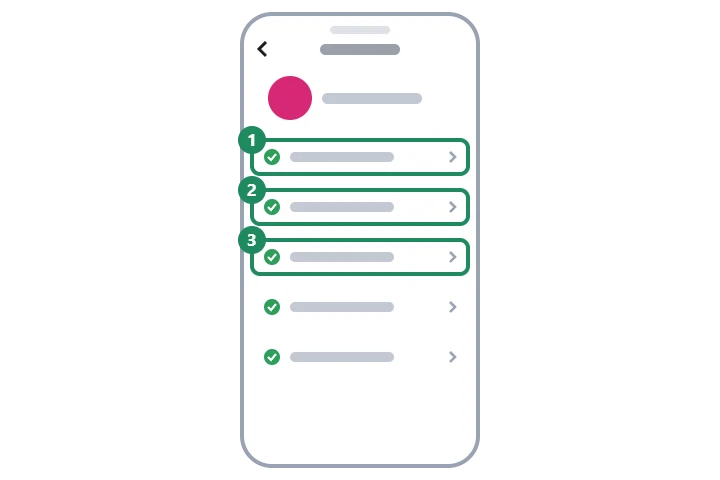
- Read the reason at the item
- Edit, delete or appeal
- Recovers after a period without violations
- Insights: followers vs. non-followers
- Check timing, format and topic
- Rule out third-party apps and automation
What can cause a real restriction?
- Violating the Community Standards: if Instagram removes a piece of content, the account cannot be recommended for a while. Repeated violations can lead to feature restrictions or the account being suspended: Disabled or suspended Instagram account.
- Recommendations Guidelines: some content does not break any rule but is not recommended, for example borderline content, misleading or clickbait posts, health misinformation, and videos taken from others and reposted without any original contribution.
- Music and copyright: with copyrighted music, the sound may be muted, the video may not appear in some countries, or it may be left out of recommendations. The safe option is Instagram's own music library.
- Mass following, liking and commenting: Instagram may treat fast, repetitive actions as automation and temporarily restrict them (for example following or commenting). This can last from a few hours to a few days.
- Third-party apps and bought engagement: automation services acting on behalf of the account and bought followers count as inauthentic engagement. Details: Buying followers, selling accounts and “free follower” sites.
What to do if “Account Status” shows a problem
- At the affected item, read which guideline Instagram is referring to.
- If the decision is wrong, appeal at the item; the result appears in the same place.
- If the decision is justified, edit the content (for example, replace the music) or delete it.
- Revoke access for all third-party apps, and if any of them received the password, change the password as well in the “Password and security” section of Accounts Center.
- Without new violations, the account becomes eligible for recommendation again after a while; “Account Status” shows this too.
If there is no restriction: normal fluctuation
If everything is fine under “Account Status”, the drop is almost always natural. The insights of professional (creator or business) accounts show how many viewers came from followers and how many from non-followers; this reveals where the number fell. Common reasons:
- an earlier post received an unusually high number of recommendations, so every following one looks weaker by comparison;
- the topic, format or posting time suits the audience less well;
- some followers are inactive, or are bought followers who do not react;
- seasonal effects: during holidays, the summer period or big events, everyone watches less or watches different things;
- the recommendation system changes from time to time, and Instagram itself says that using lots of hashtags does not meaningfully increase reach.
If it doesn't work
Does Instagram notify me if my content cannot be recommended?
For removals, usually yes, in a notification or under “Account Status”. Exclusion from recommendations is mostly visible only under “Account Status”, so that is the first place to check when reach drops.
Does it help to delete the post and publish it again?
If “Account Status” shows nothing, this does not improve reach, and reposting several times can look like repetitive content. If it does show something, the part that breaks the rules (for example, the music) needs to be replaced.
Is “Account Status” visible for personal accounts too?
Yes, “Account Status” is available for every account. Detailed reach insights (followers vs. non-followers), however, are for professional accounts; on switching: Setting up an Instagram profile.