WhatsApp on phone and computer without losing your chats
WhatsApp is Meta's messaging app: messages, voice and video calls, groups, communities and channels. The account is tied to a phone number. It is free to use; only mobile data may cost money.
In this article
What is it used for?
- Messages: sending text, photos, videos, documents and voice messages.
- Calls: one-to-one or group voice and video calls over the internet.
- Groups: shared conversations with family, classmates or colleagues.
- Communities: several related groups under one roof, with a shared announcement group.
- Channels: following news from organizations and public figures; only admins post messages.
What is needed to use it?
- A mobile number of one's own: the verification code is sent to it, and the account is tied to it.
- A smartphone (Android or iPhone): the account has to be created on a phone.
- A minimum age of 13; some countries set a higher age limit.
- An internet connection (mobile data or Wi-Fi).
Where can it be used?
- In the WhatsApp app on Android and iPhone, and on tablets.
- In the desktop app on Windows and Mac.
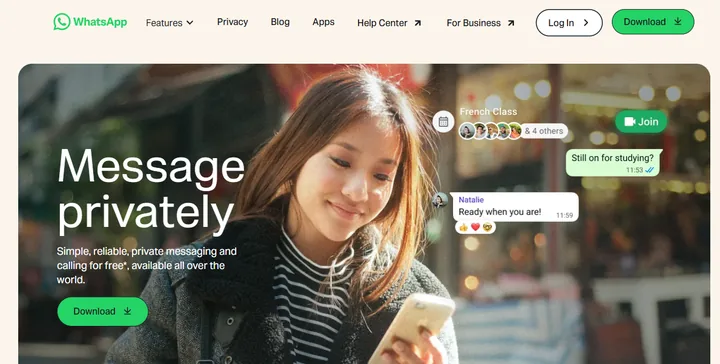
- In a web browser, without installing anything: WhatsApp Web. The “Log in” button on the home page also leads there.
- A computer or browser is linked to the account by scanning a QR code with the phone; up to four devices can be linked in addition to the phone. On a shared computer, log out after use.
Official addresses
The phone number and codes should only be entered in the official app or on these addresses; typing the address by hand is safer than following a link received in a message.
- Home page and download: whatsapp.com
- WhatsApp Web: web.whatsapp.com
- Help Center: faq.whatsapp.com
- Contact: whatsapp.com/contact
Free or paid?
Downloading and using it is free, and there is no subscription fee. On mobile data, the mobile carrier may charge for data usage, and roaming charges may apply abroad.
Security basics
- Personal messages and calls are protected by end-to-end encryption.
- Turning on two-step verification in the app settings is recommended: a personal PIN is then also needed to register the number again.
- The six-digit registration code should never be shared with anyone, not even a friend.
- A common scam is the “Mom, I have a new number” message asking for an urgent money transfer. Before doing anything, call the person back on their old, known number.
Related services
Businesses have a separate app, WhatsApp Business (the “For Business” menu item on the home page). WhatsApp can be used without a Facebook or Instagram account.
Getting started
- Signing up for WhatsApp with a phone number, step by stepSigning up for WhatsApp with a phone number: installing, the six-digit code by SMS or call, profile name and photo, and numbers that had…
- Moving WhatsApp to a new phone with all chatsTransferring WhatsApp chats to a new phone directly or from a backup, between Android and iPhone. What to check before the old phone…
- Logging in to WhatsApp Web and the desktop appLinking WhatsApp Web and the desktop app to the phone with a QR code or a phone number; a tablet and a second phone as linked devices.
Using and settings
- WhatsApp privacy settingsWho sees the profile photo, last seen and online status on WhatsApp? Read receipts, groups, disappearing messages and unknown callers.
- WhatsApp chat backup and restoreBacking up WhatsApp chats to WhatsApp cloud storage, a Google Account or iCloud, encrypted backups, restoring after reinstalling and…
- Setting up and using a WhatsApp usernameCreating and reserving a WhatsApp username (@name), chatting without a phone number, and the username key that keeps out unwanted messages.
- Deleting a WhatsApp accountPermanently deleting a WhatsApp account via “Delete my account”: the steps, what is deleted, what remains, and why uninstalling the app is…
- Changing the phone number in WhatsAppChanging your WhatsApp number with the “Change number” feature: keeping chats and groups, notifying contacts, and what to do if the old…
Troubleshooting
- Resetting a forgotten WhatsApp two-step verification password or PINForgot your WhatsApp two-step verification password or PIN? Verify by email, SMS, call or passkey, or reset the account as a last resort.
- Banned or locked WhatsApp account: reasons and appealsBanned WhatsApp account: signs of a permanent and a temporary ban, common causes (spam, unofficial apps) and how to request a review.
- The WhatsApp registration code doesn't arriveWhy the six-digit WhatsApp registration code doesn't arrive: wrong number format, waiting time, network, SMS filters. Fixes: a call…
Security
Tips and tricks
- Common WhatsApp scams and how to spot themCode requests, “new number” messages, investment groups, fake jobs and fake WhatsApp support: how to recognize them, and how to block and…
- WhatsApp abroad: roaming, local SIM and Wi-FiDoes WhatsApp work with a local SIM card, when does it ask for a new code to the home number, how much data a call uses, and what to set…
- Common myths about WhatsAppWill WhatsApp start charging? Does Meta read messages? What is “WhatsApp Gold”, and what does turning off blue ticks hide? Common myths…
If it doesn't work
Is WhatsApp free?
Yes, downloading and using it is free. On mobile data, the mobile carrier may charge for data usage.
Can it be used without a phone, only on a computer?
No. The account has to be created on a phone with a phone number; a computer, a tablet and WhatsApp Web are then linked to it with a QR code.
On how many devices can it be used at the same time?
On up to four additional devices besides the phone, for example a computer, a tablet or a browser.
What is the difference between a group, a community and a channel?
In a group, everyone can write. A community brings several groups together with a shared announcement group. In a channel, only admins post messages, and followers read them.
What to do if someone asks for the six-digit code?
Do not give it: whoever gets the code can take over the account. Turning on two-step verification is recommended.