Creating a Gmail account and using it every day
Gmail is Google's free email service, with addresses ending in @gmail.com. It is part of a Google Account: the same sign-in also gives access to YouTube, Google Drive, Google Photos and Google Play. It works in a web browser and in the mobile app.
In this article
- What can it be used for?
- Gmail vs. Google Account: what is the difference?
- What is needed to use it?
- Where can it be used?
- How much free storage is included?
- Official pages
- Free or paid?
- Security basics
- Gmail guides
- Getting started
- Using and settings
- Troubleshooting
- Security
- Tips and tricks
- If it doesn't work
What can it be used for?
- Email: sending and receiving messages with attachments; the attachments of one email can total up to 25 MB, and Gmail sends larger files as Google Drive links.
- Organizing: the inbox is automatically split into tabs (such as Primary, Promotions and Social), plus labels, filters, stars and archiving.
- Spam and malware filtering: suspicious emails go to the Spam folder, and a warning appears for dangerous attachments and links.
- Other accounts: mailboxes from other providers (such as Outlook.com, Yahoo or iCloud) can also be added to the Gmail app.
- Related tools: Google Calendar, Google Contacts, Google Tasks and Google Meet are available alongside email.
Gmail vs. Google Account: what is the difference?
A Google Account is the shared sign-in for Google's services, and Gmail is one of those services. Creating a Gmail address also creates a Google Account. The reverse is not necessarily true: a Google Account can also be created with an existing email address from another provider. Such an account has no Gmail mailbox, but one can be added later.
- The password, passkeys, 2-Step Verification and recovery details are managed in the Google Account: myaccount.google.com.
- Dots do not matter in a Gmail address: [email protected] and [email protected] are the same mailbox.
- In some countries, it has gradually become possible to replace a @gmail.com address with a new @gmail.com address while keeping the old one. Details: Changing your Gmail address: options and limits.
What is needed to use it?
- A Google Account, which is free to create. Step by step: How to create a Gmail account.
- A phone number or another email address for recovery: these are the way back into the account after a forgotten password. They are not always required, but strongly recommended.
- The minimum age for managing one's own account is 13 in most countries, and 14, 15 or 16 in some. For younger children, a parent can create a supervised account with Family Link.
- An internet connection and an up-to-date browser, or the Gmail app.
Where can it be used?
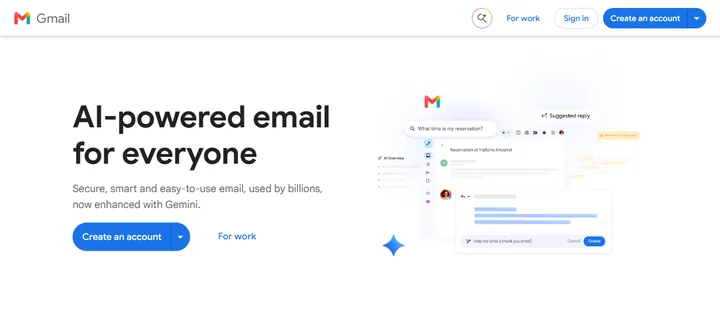
- In a browser, with nothing to install: mail.google.com. When not signed in, this address leads to the Gmail welcome page, where the “Sign in” button opens the sign-in page.
- On Android phones and tablets, the Gmail app usually comes preinstalled; if not, it can be downloaded from Google Play.
- On iPhone and iPad, the Gmail app can be installed from the App Store. A Gmail account can also be added to the iPhone's built-in Mail app.
- In desktop email programs (such as Outlook, Thunderbird or Apple Mail) via IMAP; most current programs offer sign-in with a Google Account, while older ones may need an app password. If the program cannot connect on a particular network: Gmail in an email app on a work network.
How much free storage is included?
Every Google Account comes with 15 GB of free storage, shared by Gmail, Google Drive and Google Photos. Emails and attachments in the Spam and Trash folders also take up space until they are permanently deleted.
- When the storage is full, Gmail cannot send or receive new emails until space is freed up. What to do: Gmail storage full: how to free up space.
- More storage can be bought with a paid Google One subscription: one.google.com. Plans and prices vary by country.
- If an account stays over its storage limit continuously for two years, Google may delete its content; it gives advance notice by email.
Official pages
A Google Account password and sign-in codes should only ever be entered on google.com addresses. Typing the address by hand is safer than following a link received in an email.
- Gmail on the web: mail.google.com
- Sign-in and new account: accounts.google.com
- Google Account management (password, security, data): myaccount.google.com
- Gmail Help: support.google.com/mail
- Google Account Help: support.google.com/accounts
- Storage and Google One: one.google.com
- Downloading your data (backup): takeout.google.com
Free or paid?
Gmail is free for personal use; ads may appear on the web and in the app, mainly on the Promotions and Social tabs. Payment is only needed for extra storage (Google One). For businesses, there is Google Workspace, with a custom domain (such as [email protected]), more storage and admin tools: workspace.google.com.
Security basics
- Creating a passkey and turning on 2-Step Verification is recommended: myaccount.google.com/security. About the ways to sign in: Signing in to Gmail.
- Keep the recovery phone number and email address up to date.
- Google never asks for a password or sign-in code by email or phone. Typical scams: Common scam emails in Gmail.
- Google may delete an account that nobody has used for at least two years. Signing in, reading email or using another Google service regularly is enough to keep it.
- A quick overview of the account's security status: Security Checkup.
Gmail guides
- How to create a Gmail account, step by step
- Signing in to Gmail: password, passkey and phone prompts
- Using multiple Gmail accounts on one device
- Resetting a forgotten Gmail password
- Not receiving emails in Gmail
- Hacked Gmail account: first steps
- Deleting Gmail or the whole Google Account
- Common myths about Gmail
Getting started
- Signing in to Gmail: password, passkey and phone promptsSigning in to Gmail in a browser or the app with a password, a passkey (fingerprint, face, PIN) or a Google prompt on the phone. Common…
- How to create a Gmail account, step by stepCreating a new Gmail address and Google Account on a computer, Android or iPhone: name, birthday, username, password, phone number and…
- Using multiple Gmail accounts on one deviceAdding several Google Accounts in a browser and in the Gmail app, switching between accounts, the default account and how signing out works.
Using and settings
- Changing your Gmail address: options and limitsCan a @gmail.com address be changed? Where the new feature is available, how often it works, what happens to the old address, and what to…
- Deleting Gmail or closing the whole Google AccountDelete only Gmail or the whole Google Account? The difference, backing up data with Takeout, the steps, and whether the account can be…
- Gmail storage full: how to free up spaceWhat counts toward the 15 GB of Google storage, how to find large emails and attachments, and what happens when Gmail storage runs out.
Troubleshooting
- Gmail in an email app on a work network or behind a firewallWorks at home but not at work? Blocked IMAP and SMTP ports, antivirus email scanning, company firewalls: how to find the cause of Gmail…
- Resetting a forgotten Gmail passwordForgot your Gmail password? How Google Account recovery works with a phone, a recovery email or a signed-in device, and what to do if none…
- Signing in to Gmail from abroad: when the text message code does not arriveGoogle's text message code not arriving abroad? Phone prompts, backup codes, passkeys, authenticator apps, and what to set up before…
- Not receiving emails in Gmail: causes and fixesAn expected email missing from Gmail? Spam, the Promotions tab, filters, blocked senders, forwarding, full storage: how to find out where…
Security
Tips and tricks
- Common scam emails in Gmail and how to spot themFake Google security alerts, storage-full warnings, prizes, fake support lines: how to recognize scam emails and how to report them in…
- Common myths about GmailDoes Google read emails to show ads? Is Gmail shutting down? Do dots in the address matter? The most common Gmail myths and the facts…
If it doesn't work
Is Gmail free?
Yes, it is free for personal use, with 15 GB of shared storage. Payment is only needed for extra storage (Google One) or for Google Workspace for businesses.
Are Gmail and a Google Account the same thing?
Not quite. A Google Account is the shared sign-in for Google's services, and Gmail is its email part. Creating a Gmail address also creates a Google Account.
Can Gmail be used without the app?
Yes, in a browser at mail.google.com. On a phone the app is more convenient, because it sends notifications about new emails.
Can one phone have several Gmail accounts?
Yes, several accounts can be added to the Gmail app, and tapping the profile picture switches between them. Details: Using multiple Gmail accounts on one device.
Can an unused account be closed?
Yes. Google may delete an account that has not been used for at least two years; beforehand, it sends warnings to the account and to the recovery email address.
Can a Gmail address be changed?
In some countries, yes: a @gmail.com address can be replaced with a new @gmail.com address, and the old one stays as an alternate address. Details: Changing your Gmail address.