Managing ChatGPT memory and custom instructions
ChatGPT can adapt to its user in two ways: through memory, which keeps facts picked up from conversations, and through custom instructions, which the user writes personally. Both are found in the settings under personalization, and both can be turned off or rewritten at any time. It is worth checking now and then what ChatGPT has stored, because an outdated or misunderstood memory also distorts later answers.
In this article
What does ChatGPT remember?
Memory consists of two independent parts, so each has its own toggle.
- Saved memories: short, factual entries such as the user's name, occupation, a recurring project or a preferred answer format. ChatGPT saves these on its own when something seems important, but it also remembers things on request (“Remember that…”). When something is saved, a short note above the answer shows that memory has been updated.
- Chat history: ChatGPT can also draw on earlier conversations without creating a separate memory from them. This part cannot be browsed entry by entry; whatever comes into answers from here can only be stopped by deleting the earlier conversations or turning off the toggle.
- The free plan has a simpler, shorter-term version of memory; on paid plans ChatGPT keeps track of earlier conversations over a longer period.
- In work and education workspaces, the workspace administrator decides whether memory is available.
Viewing and deleting memories
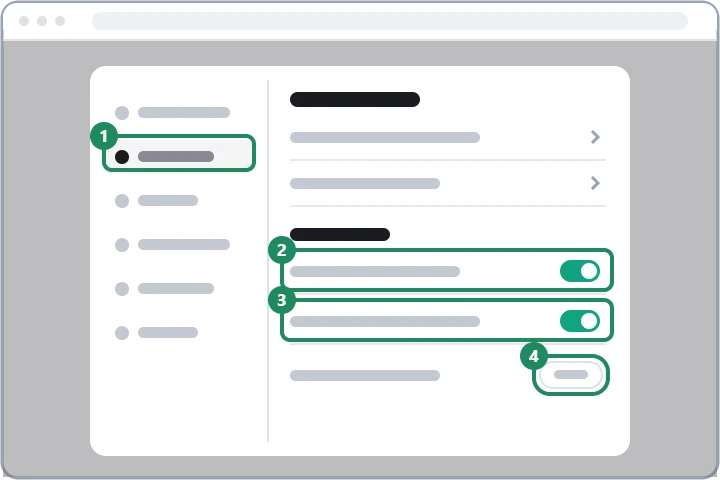
- On the web, click the profile icon in the bottom left corner, then “Settings”. In the iOS and Android apps, tap the name at the bottom of the sidebar.
- Open “Personalization” and choose the “Manage” button in the memory section.
- Every entry in the list has a delete icon (trash can) next to it, which deletes that memory.
- All memories can be removed at once with the delete option at the bottom of the list; ChatGPT asks for confirmation once more.
- A memory can also be corrected or deleted in a conversation, simply by writing, for example, “Forget that I have a cat” or “I no longer work as a teacher”.
- Deleting a conversation does not delete a saved memory created from it. If sensitive information has to disappear completely, both the memory and the source conversation have to be deleted.
- Turning off saved memories does not delete existing entries either, it only stops using them; deleting them requires the list.
When is it worth turning memory off?
Memory and the data control for model training are two separate settings: turning off memory does not mean conversations cannot be used for model training, and vice versa.
- When several people use the same account and their details get mixed up in the answers (the terms of use do not recommend sharing an account anyway).
- When ChatGPT stubbornly starts from old information that is no longer valid.
- When a topic (for example a health or financial question) should not be linked to other conversations; for a single conversation, temporary chat is more convenient, because it neither uses nor creates memories. Details: ChatGPT privacy settings.
Setting up custom instructions
With custom instructions, users tell ChatGPT themselves what it should take into account in every new conversation. They are entered in the “Custom instructions” fields under “Settings” → “Personalization”.
- About the user: how ChatGPT should address the user, what they do, and what background knowledge it should assume (for example “I teach high school physics”).
- About the style of answers: the desired tone, length and format, for example “answer briefly, with bullet points”, “always write in English”, “explain the steps when giving code”. Preset styles and traits can also be chosen.
- Instructions apply to conversations started after saving, not to those already in progress.
- Projects can have their own instructions, which apply to the conversations in that project. About projects: Searching, archiving and deleting ChatGPT chat history.
- Custom instructions can be switched off temporarily with a toggle without losing the text entered.
Memory or custom instructions: which for what?
Anything that is permanent and always applies (language, style, field of work) is better written into custom instructions, because there the user's own text is used exactly, regardless of what ChatGPT considers important. Memory is for details that come up along the way, such as the date of an upcoming trip or the status of a longer piece of work. If the two contradict each other, it is clearer to delete the memory and set the desired rule in the custom instructions. Passwords, bank card numbers or other sensitive data should not be entered in either.
If it doesn't work
Will ChatGPT tell me what it remembers?
Yes, it can be asked what it knows about the user. The complete, exact list, however, can be seen under “Personalization”, behind the “Manage” button of the memory section.
What happens when memory is full?
Saved memories have a storage limit. When it is reached, ChatGPT says so, and old entries have to be thinned out to make room for new ones; newer versions can also push less important memories into the background on their own.
If I delete my account, are the memories deleted too?
Yes, deleting the account also removes the memory. The steps: Permanently deleting a ChatGPT account.