Microsoft account: one account for Windows and Office
A Microsoft account is Microsoft's personal account: one sign-in opens Windows, Outlook.com, OneDrive, Microsoft 365, Teams and Xbox. The account is free.
In this article
What is it used for?
- Signing in to Windows; settings and OneDrive files are available on more than one PC.
- Outlook.com email and calendar, OneDrive cloud storage.
- Microsoft 365 (Word, Excel, PowerPoint), Teams, Xbox and Microsoft Store.
- Subscriptions, orders and devices can be managed in one place.
What is needed to use it?
- An email address or phone number. Any existing address works (Gmail, for example), or a new @outlook.com address can be requested.
- An address that has already been used for a Microsoft account cannot be used again, even if the old account was closed.
- Creating an account for a child also requires a parent or guardian to sign in.
- A new account can be created at signup.live.com.
Where can it be used?
In a web browser, in Windows and in every Microsoft app, on phones, computers and consoles. There is no separate mobile app for the account itself; signing in can be made easier with the free Microsoft Authenticator app.
Official addresses
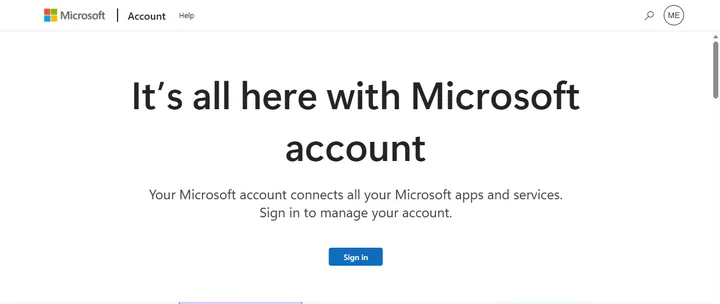
Login details should only be entered on these addresses. Without signing in, the account page only shows the “Sign in” button.
- Account management: account.microsoft.com
- Security settings: account.microsoft.com/security
- New account: signup.live.com
- Forgotten password: account.live.com/password/reset
- Help: What is a Microsoft account?
Free or paid?
The account is free, and Outlook.com and a smaller amount of OneDrive storage come with it at no cost. A Microsoft 365 subscription (for example “Microsoft 365 Personal” or “Microsoft 365 Family”) and Xbox subscriptions are paid. Prices: official comparison page.
Security basics
- Adding at least two up-to-date pieces of security info (another email address, an authenticator app) on the “Security” page is recommended; without them, recovering the account after a forgotten password is difficult.
- Turning on two-step verification is recommended.
- The account can also be made passwordless in the “Passwordless account” section of the “Additional security options” page; this requires Microsoft Authenticator.
- A passkey can also be saved: signing in then works with a face, a fingerprint or a PIN.
- Codes should never be shared with anyone. Microsoft support does not send password reset links and does not ask for account details.
Work or school account
A work or school account is created and managed by an administrator; it is a separate account, not the same as a personal Microsoft account. When signing in with a company address, Outlook opens the company mailbox.
Getting started
- Signing in to a Microsoft account: password, passkey, AuthenticatorSigning in to a Microsoft account with a password, a one-time code, Authenticator approval or a passkey. Signing out on a public PC and…
- Local account or Microsoft account in WindowsLocal account or Microsoft account in Windows: the differences, OneDrive, the BitLocker key, backup, and how to switch between them in…
- Creating a Microsoft account step by stepCreating a Microsoft account with an existing email address or a new Outlook.com address: sign-up steps, the verification code and…
Using and settings
- Setting up a passwordless Microsoft accountA Microsoft account's password can be removed completely: sign in with a passkey, Authenticator or a code. Requirements, older devices and…
- Closing and reopening a Microsoft accountClosing a Microsoft account: what to save and cancel first, how the closure starts, and how the account can be reopened within 30 or 60…
- Recovery email and phone number in a Microsoft accountWhere to add and update the security email and phone number of a Microsoft account, what changed with the SMS phase-out, and why a change…
Troubleshooting
- Microsoft account abroad: signing in, verification and changing regionMicrosoft security code not arriving abroad, or the account locked? Fixes for travel, and what to do with the account's region when moving…
- Resetting a forgotten Microsoft account passwordA new Microsoft account password with a code, Authenticator or from the Windows sign-in screen, and what to do if no verification method…
- Filling in the Microsoft account recovery formWhen the Microsoft account recovery form is needed, which details improve the chance of success, how long a reply takes and what to do…
- Microsoft account security code not arrivingWhy a Microsoft verification code by text or email does not arrive: junk email, SMS filtering, a temporary block, an old number. The fix…
- Unlocking a locked or suspended Microsoft accountHas Microsoft locked or blocked the account? Causes (suspicious sign-in, wrong passwords, violations), unlocking with a code and…
Security
- Hacked Microsoft account: first stepsIs a stranger in the Microsoft account? Password change on a clean PC, recent activity, sign out everywhere, security info, devices and…
- Two-step verification and Authenticator for a Microsoft accountTurning on two-step verification for a Microsoft account, setting up Microsoft Authenticator, the recovery code and what to do before…
Tips and tricks
- Common myths about the Microsoft accountIs a Microsoft account needed for Windows 11? Does it cost money? Does it survive years of non-use? Does Microsoft call? Common myths and…
- Recognizing scams in Microsoft's namePhone “support”, pop-up virus alerts, floods of Authenticator requests, fake sign-in pages: how to recognize scams committed in…
If it doesn't work
Is a Microsoft account free?
Yes. Only subscriptions and purchases cost money.
Can a Microsoft account be created with a Gmail address?
Yes. Emails keep arriving in the existing mailbox; the address is only used for signing in.
What to do after forgetting the password?
A new password can be set at account.live.com/password/reset with a code sent to the security info.
Are separate accounts needed for Xbox and Windows?
No. The same Microsoft account works for both.