Google Account: sign-in, security and recovery in one place
A Google Account is a single sign-in for almost all of Google's services: Gmail, YouTube, Google Play, Drive, Maps, Chrome and an Android phone. The account is free, and it does not require a Gmail address: it can also be created with an email address from another provider.
In this article
What is it used for?
- Gmail, Calendar, Contacts: emails, events and contacts are the same on every device.
- Android and Google Play: the Google Account is used to download apps, and the phone's backup is saved to it.
- YouTube: subscriptions, playlists, history and your own channel.
- Drive and Photos: files and pictures share the same storage. The free storage and the price of larger plans can be checked on the account's storage page.
- Chrome and Google Password Manager: bookmarks, saved passwords and passkeys sync across devices.
- Signing in to other sites: many websites and apps offer a “Sign in with Google” button, so no separate registration is needed: managing connected apps.
Google Account or Gmail address?
The two are not the same. The Google Account is the sign-in identity itself, together with its settings; Gmail is just one of the services that can be used with the account. Registering a Gmail address also creates a Google Account: How to create a Gmail account, step by step. Anyone who only wants YouTube, Google Play or Drive can open an account with their existing email address instead: Creating a Google Account without a Gmail address. A Gmail address cannot be changed later, but an address from another provider can.
Where can it be managed?
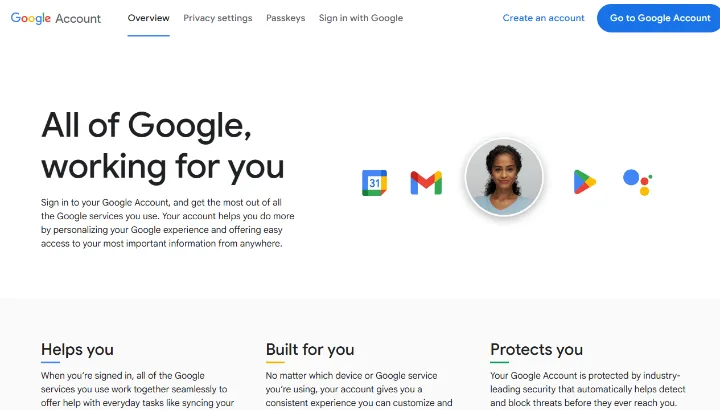
- On the web: at myaccount.google.com. When signed out, this address leads to Google's introduction page, where the “Go to Google Account” button signs you in and the “Create an account” button opens a new account.
- On Android: in the Settings app under “Google”, by choosing to manage the account.
- On iPhone: in the Gmail or Google app, by tapping the profile picture and managing the account.
- The main sections of the account page: “Home”, “Personal info”, “Data & privacy”, “Security & sign-in”, “People & sharing”, “Payments & subscriptions”. There is no separate app for the Google Account.
Security basics
- 2-Step Verification: a second step is needed in addition to the password, such as an approval on the phone.
- Passkey: passwordless sign-in with a fingerprint, face recognition or the screen lock.
- Security Checkup: a review of a few minutes covering signed-in devices and access.
- Recovery phone and recovery email: without them, getting back in after a forgotten password is difficult.
- Google employees do not call to ask for a verification code: Google Account scams.
Official pages
- Account management: myaccount.google.com
- Sign-in and new account: accounts.google.com
- Account recovery: g.co/recover (steps: how account recovery works)
- Help: Google Account Help
Children and rarely used accounts
For a child below the minimum age, a parent can create an account with Family Link; the age limit varies by country: A child's Google Account and Family Link. Google may delete a personal account that has not been used for at least two years, so it is worth signing in to a rarely used account from time to time: Inactive Google Account.
Getting started
Using and settings
- Google Security Checkup: reviewing your account in a few minutesThe steps of Google Security Checkup: signed-in devices, third-party access, recovery details and recent security events, and how to fix…
- A child's Google Account and Family LinkA Google Account for a child under the minimum age: creating it with parental consent, Family Link basics (screen time, apps) and what…
- Setting up a recovery phone and recovery email for a Google AccountRecovery phone and recovery email for a Google Account: why they matter, where to add and check them, and what to do when they are out of…
- Inactive Google Account: when it gets deleted and how to prevent itGoogle may delete an account not used for at least two years. What counts as activity, the exceptions, and what Inactive Account Manager…
- Passkeys (passwordless sign-in) for a Google AccountPasskeys for a Google Account: creating one on a phone or computer, signing in on another device with a QR code, and what to do if the…
- Downloading Google data with Google TakeoutExporting emails, photos, Drive files and other Google data with Google Takeout: what can be selected, what format it arrives in and how…
- Checking signed-in devices and signing out of a Google Account remotelyWhich phones, computers and TVs a Google Account is signed in on, how to sign it out remotely, and what an unfamiliar device in the list…
Troubleshooting
Security
- Signing in to other sites with a Google Account: managing linked appsWhat does a site see after Sign in with Google? Where linked apps are listed, what a suspicious access looks like, and how to remove it…
- Hacked Google Account: first stepsSuspicious sign-in or a new password on your Google Account? Change the password, sign out unknown devices, check recovery details and…
- Turning on 2-Step Verification for a Google AccountGoogle 2-Step Verification: Google prompts, authenticator app, text message, security key, backup codes; how to turn it on, what to do…
Tips and tricks
If it doesn't work
Is a Google Account free?
Yes. Payment is only needed for chosen subscriptions (such as more storage) and for content bought on Google Play; these are shown in the “Payments & subscriptions” section.
If I delete Gmail, is the Google Account deleted too?
Not necessarily: the Gmail service can be removed on its own, and the account stays with the other services. Deleting the whole account is a different step: Deleting Gmail or closing the whole Google Account.
Can I have more than one Google Account?
Yes, and it is possible to switch between several accounts on one device: Using multiple Gmail accounts on one device.
What should I do if I cannot sign in?
For a forgotten password, a password reset helps; in other cases, account recovery: Resetting a forgotten Gmail password.