Netflix sign-in code or link not arriving
Netflix sends several kinds of codes and links: for signing in, signing up and resetting the password. Most arrive within two minutes. If one does not, or the code entered is rejected, the cause is usually a mistyped address, a filtered folder, an old phone number or a code that has expired or been replaced in the meantime. Signing in with the password is almost always available as a workaround.
In this article
Which code or link is it?
What to do depends on what is not arriving, because the validity periods differ:
- Sign-in code: 4 digits, sent by email or text message, valid for 15 minutes. On some devices a clickable sign-in link arrives instead, valid for the same time.
- Sign-up link: sent by email when a new account is created, valid for 15 minutes.
- Password reset link: by email, valid for 24 hours.
- Password reset verification code: by text message, valid for 20 minutes.
The code or the link does not arrive
Symptom: the code entry screen appears, but neither an email nor a text message comes. Possible causes and solutions:
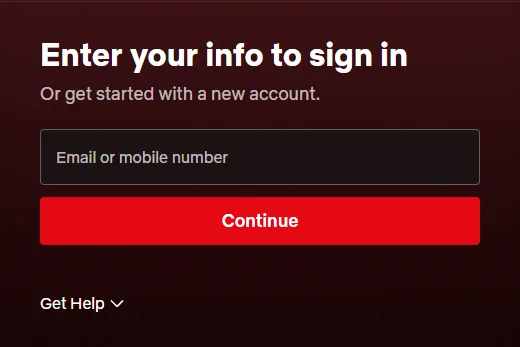
- Mistyped address or number: check what was entered in the first step, in the “Email or mobile number” field. With a typo, the code goes somewhere else, or nowhere. Go back, correct it and request the code again.
- Filtered email: search the junk, promotions and social folders too. For reset emails, the Help Center suggests adding [email protected] to the contacts, and only then requesting it again.
- Unverified or outdated phone number: text messages only go to a verified number linked to the account. If the number no longer belongs to the account owner, sign in with the email address and replace it with “Change phone number” on the “Account” page.
- Text message filtering on the phone: some phones and carriers put messages from unknown senders in a separate folder or block them. Check the messaging app's filtered or spam folder too; abroad, roaming can also delay text messages.
- Slow email provider: some mailboxes hold back emails for hours. For reset emails, the Help Center mentions a wait of up to five hours.
The code has expired or is shown as incorrect
Symptom: Netflix rejects the code or the link entered. In this case, the message shown points to the cause:
- “Incorrect code.” The code entered is not the latest one, or it has already expired. After “Resend code”, always enter the code from the newest message, not an earlier one.
- “Something went wrong. Please use your password instead.” There were too many failed attempts. Sign in with the password, or request a new code after waiting a few minutes.
- “Sorry, we cannot send another code right now.” The resend limit has been reached or there is a temporary error. Repeated requests do not help in this case: sign in with the password or try again later.
- Message beginning with “New to Netflix?”: Netflix does not recognize the email address or phone number entered. The account may belong to another address.
- Asks for a new password to be set: for security reasons, the account needs a new password, which can be requested on the netflix.com/LoginHelp page.
- Expired reset link: delete the old reset emails and request a new one; if the fresh link does not open either, another browser or device may help.
Workaround: signing in with the password
If the code stubbornly fails to arrive, the password helps. After entering the email address or phone number and choosing “Continue”, click “Get Help”, then choose “Use password instead” and type the password. This only works with the account owner's primary email address or phone number; an email address added to a profile has no password. If the password is lost too, the email reset is the next step: Resetting a forgotten Netflix password. The sign-in steps in detail: Signing in to Netflix with a password or a one-time code.
If neither the email nor the phone is accessible
If there is no longer access to the account's email address, it is best to recover the email account with the email provider first, because codes and links are sent there. If that does not work, Netflix customer service helps update the sign-in details. If Netflix is billed by a provider, the Help Center article for that provider describes what to do.
If it doesn't work
A code arrived from Netflix without being requested. What should be done?
Someone typed the email address or phone number on the sign-in page. The code must not be passed on to anyone, even if someone asks for it in Netflix's name. If it keeps happening, changing the password is advisable; about fake messages: Common Netflix scams: fake payment and account suspension messages.
How many times can a new code be requested?
Netflix does not give an exact number. After a few quick requests in a row, the message “Sorry, we cannot send another code right now.” may appear; in that case, wait or sign in with the password.
The sign-in link does not arrive on the TV. What can be done?
Check that the email address shown on the TV is correct, and fix it with “Previous” if needed. Signing in with a QR code or through a browser does not need an email link: Signing in to Netflix on a TV with a phone or a code.