How to delete an Amazon account
Deleting an Amazon account (closing the account, in Amazon's wording) can be requested in the account's privacy settings or through the help pages, and it has to be approved in a confirmation email. The deletion is permanent: a closed account cannot be restored. Since the same account works in all country stores and in several Amazon services, the deletion does not affect just one store but all of them.
In this article
What does the deletion cover?
An Amazon account does not belong to a single store: the same sign-in details work on amazon.com, amazon.co.uk, amazon.de and the other country stores, as well as in Amazon's services. Closing it therefore affects every store and service that uses the same account, including:
- the account in all Amazon country stores, together with the order history;
- Kindle books, Audible audiobooks, and purchased music, films and apps;
- the Prime membership and other subscriptions (for example Kindle Unlimited, Audible);
- the gift card balance and promotional credits;
- devices linked to the account (Kindle, Echo, Fire TV), which can no longer reach the account after closure;
- the seller or developer account, if it uses the same sign-in.
What to do before deleting
- Open matters: wait until every order has arrived and every refund has been completed. In a closed account, it is no longer possible to start a return or make a complaint.
- Subscriptions: cancel Prime and other subscriptions: How to cancel Amazon Prime. If a subscription runs through an app store or a provider, cancel it there.
- Invoices: download the invoices needed for warranties and bookkeeping from the orders, because the order history is deleted too.
- Gift card: the remaining balance is lost when the account is closed, so it is worth spending it first.
- Digital content: most purchased e-books and audiobooks are copy-protected, so without the account they usually cannot be read or listened to any more. This loss should be taken into account in advance.
- Copy of the data: anyone who wants to keep the data linked to the account can request a copy in the privacy settings (“Request Your Data”) before closing it.
Requesting the closure
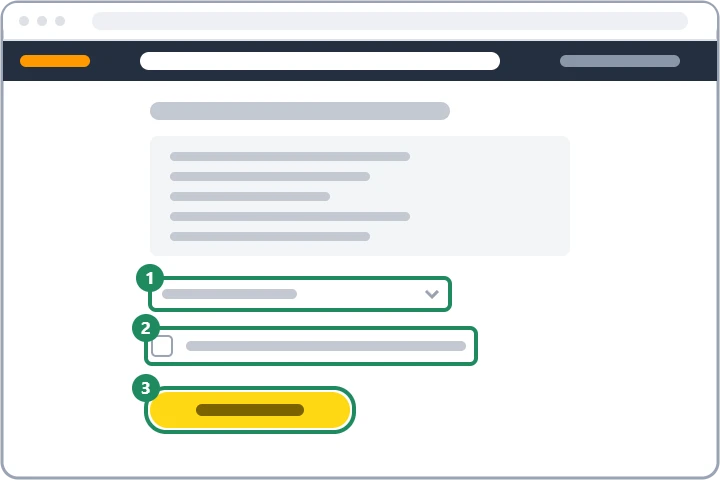
The closure page is most convenient to reach in a browser: the “Close Your Amazon Account” page can be found by searching for account closure in the help pages, or in the account's privacy settings. The page lists what is lost with the closure. Then choose the reason for closing from the list, tick the box acknowledging the permanent deletion of the account and data, and submit the request. In the app, the request is often handled by the customer service chat. Amazon then sends an email to the account's address: click the confirmation link in it within the stated deadline (usually 5 days), otherwise the request becomes invalid.
Instead of deleting: smaller steps
If the goal is just to stop marketing emails or to remove a saved card, there is no need to delete the whole account. Notifications can be turned off in the account's communication settings, cards can be removed under payment methods, and the browsing history can be deleted in the account. If the account has been hacked, start with a password change and customer service rather than deletion: Locked or suspended Amazon account. Anyone who only wants to switch to another email address can do so under “Login & security” while keeping the account.
If it doesn't work
Can a deleted Amazon account be restored?
No. According to Amazon's help pages, no one can access a closed account, and it cannot be restored. A new, empty account can be created later with the same email address.
Can just the account in one store be deleted while keeping the others?
No, the closure applies to all country stores that use the same sign-in details. In a single store, only addresses, cards and subscriptions can be removed.
What happens to the order history?
It is deleted with the closure, so invoices should be downloaded beforehand. Amazon may keep data required by law (for example billing data) even after deletion.