Managing delivery addresses and payment methods in an Amazon account
Addresses and payment methods saved in an Amazon account speed up ordering: at checkout, it is enough to select them. When ordering from a store in another country, the address also determines which offers can be delivered. The article quotes the labels of the English-language website; in the app, the same menus are under the profile icon.
In this article
Adding a delivery address to the address book
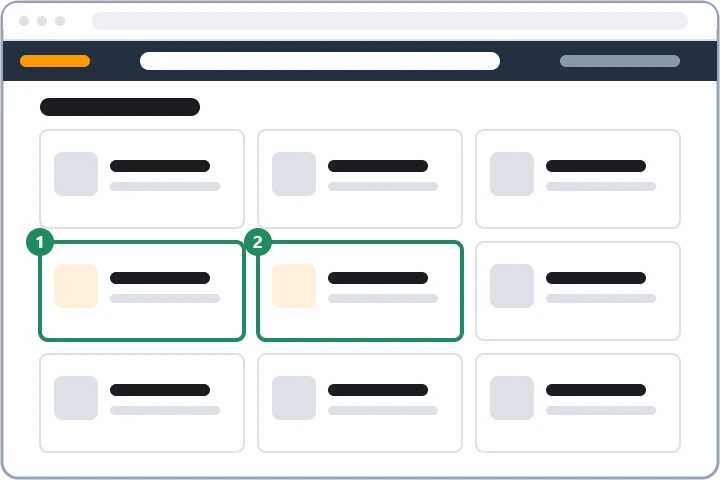
- On the “Your Account” page, open the “Your Addresses” card, then choose “Add address”.
- Select the country from the drop-down list; the form fields adapt to it.
- Enter the full name, the phone number (with country code), the street and house number, the floor and door on a separate line, then the postcode and the town. A courier from another country does not always know the local address format, so it is worth adding the name shown on the doorbell as well.
- Once saved, the address is added to the address book. With the first order placed using a new or edited address, Amazon may ask you to confirm the card number.
- If Amazon detects that the address is incorrect (missing name, house number, wrong postcode), it asks for a correction at checkout.
Default address, editing, removing
- Editing and removing: with the “Edit” or “Remove” button below the address.
- Default address: set with the “Set as Default” link below the address. Amazon uses it for quick ordering and, for a signed-in customer, uses it to decide where a product can be delivered; when signed out, it goes by the IP address.
- Open orders: changing the address book does not change the address of an order already placed. That has to be changed under “Your Orders”, on the order itself, until the parcel has been dispatched.
- Residence address for digital purchases: if a message on removing says that the address is the residence address for digital purchases, first set another address on the “Manage Your Content and Devices” page, on the “Preferences” tab, in the country/region settings.
Adding a card or another payment method
- On the “Your Account” page, open the “Your Payments” card (on some pages called “Wallet”).
- Choose “Add a payment method”, then the card, and enter the card details and the billing address. The billing address must match the one held by the bank.
- A card can also be added at checkout, when selecting the payment method; in that case the card remains saved for the next order too.
Editing or removing a card, default payment method
On the “Your Payments” page, click the card: the “Edit” button updates the billing address or the expiry date, and the “Remove from wallet” button removes the card. The default payment method can be set when editing the card, with the “Set as default payment method” checkbox. The change does not affect the payment method of open orders; Prime and other subscriptions do not work without a payment method; Amazon removes expired cards automatically after a while. Anyone who prefers not to save a card can also pay with an Amazon gift card.
Payment methods and bank confirmation
The accepted payment methods differ by store and by the country of residence. amazon.de, for example, accepts cards, SEPA direct debit in euros (from a euro account in a SEPA country), gift cards and some local payment methods. In the EU, strong customer authentication means the bank may ask for separate confirmation of a card payment in the banking app, with a code or a fingerprint. If this fails, the order can be paid again under “Your Orders”; if the problem persists, contact the bank. If the payment is held up because of a refusal: Locked or suspended Amazon account.
Why can't every product be shipped to every country?
After the address is entered on the product page, Amazon indicates if it cannot deliver to that country. There can be several reasons:
- Product category: books, films and music can go almost anywhere, but some electronics, clothing, toys and household products cannot.
- Dangerous goods: products containing flammable, pressurised or corrosive substances, often including batteries and liquid cosmetics, only go to certain countries, excluding islands.
- Size and value: delivery of large, heavy products, expensive watches and jewellery, plants and alcohol is typically limited to the store's country or neighbouring countries.
- Marketplace seller: third-party sellers decide for themselves which countries they ship to. It is worth checking whether another seller offers the same product, or writing to the seller.
- Local regulations: the recipient is responsible for the legality of the import; the warranty and the language of the user manual may also differ. For parcels from outside the EU, customs duty and taxes may also apply: Amazon: how the country stores, Prime and returns work.
If it doesn't work
Why does Amazon ask for the card number again for a new address?
For security reasons: if a stranger's address is added to a hacked account, orders cannot be sent there without knowing the card number. The full card number has to be entered.
Are the same addresses and cards shown in every Amazon store?
Not always. The account is shared, but addresses and payment methods may appear separately per store, so in a new store it is worth checking them before the first order.
Is it safe to save a card in an Amazon account?
Amazon stores card details encrypted, but the account itself needs protection: a strong password, two-step verification or a passkey is recommended. An unknown card or address in the account may point to a hack: Hacked Amazon account: first steps.