Microsoft account security code not arriving
Microsoft sends a verification code at sign-in, during a password change and when security info is modified. If the code does not arrive, Microsoft's servers are rarely to blame: usually a filter holds the message back, an old address or number is on the account, or the system temporarily stops sending codes because of too many retries.
In this article
Where does Microsoft send the code?
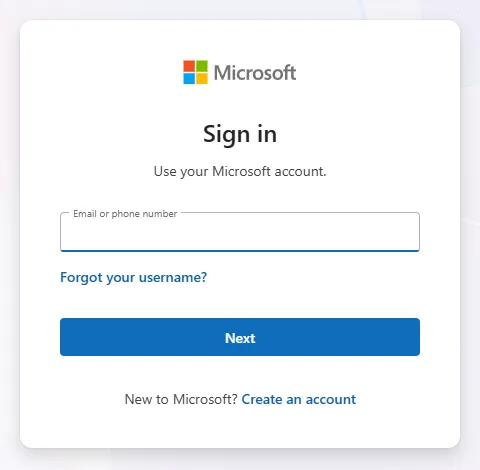
Codes only go to the addresses and numbers added to the account for verification, or to the account's primary email address. At sign-in, the address or number is only partly visible; if it looks unfamiliar, a typo may be showing another account's details (for example @outlook.co.uk instead of @outlook.com). Sending the code starts on the sign-in page after the account identifier is entered; if the method offered does not work, another one can be chosen there. The sign-in steps: Signing in to a Microsoft account: password, passkey, Authenticator.
The email code cannot be found
- Junk email: the sender of real codes is an address ending in @accountprotection.microsoft.com. If the user marks this sender as safe, the next code lands in the inbox.
- The second address is also a Microsoft account: if the code goes to another @outlook.com or @hotmail.com address, signing in to the second account in the browser may sign the user out of the first one, and the window waiting for the code is lost. The fix: open the first account in a private window, the second mailbox in another private window, and copy the code from there.
- Several codes arrived: only the most recently requested code is valid.
The text message does not arrive
- Filtering: many phones put messages from unknown senders in a separate folder or block them. After changing the setting, request a new code in the verification window.
- Full storage: if the message folder is full or the messaging app is not working properly, the text message does not even appear.
- Regional limits: in some regions, Microsoft's text messages are restricted or temporarily unavailable. This is also common when staying abroad: Microsoft account abroad.
- VoIP number: Microsoft does not send codes to internet phone numbers, only to mobile numbers.
- Phase-out: Microsoft is gradually ending text messages as a sign-in and recovery method for personal accounts, so a new phone number can no longer be added to some accounts. In the long run, Authenticator, another email address or a passkey is the reliable solution.
“Try another verification method”
Symptom: Microsoft shows an error message, or a message saying it cannot send a text message to this number. Cause: because of too many code requests in a row, an unusual sign-in or suspicious traffic from the location, the system temporarily blocks sending codes. The fix according to the help:
- Choose another method added to the account, for example the second email address instead of a text message.
- Switch networks: from Wi-Fi to mobile data or the other way round.
- Stop trying. Often waiting a day is enough; if nothing changes after 24 hours, it may take up to a week. Every new attempt can restart the wait.
- If the account was locked because of unusual activity, the code only arrives after it is unlocked: Unlocking a locked or suspended Microsoft account.
Instead of a code: Microsoft Authenticator
If the account is set up in Microsoft Authenticator, approval also appears among the verification methods. On the phone, tap the request and select the number shown on the screen to confirm the sign-in; if no notification arrives, open the app itself, where the pending request is shown. The app also shows a one-time code that works without internet access. How to set it up: Two-step verification and Authenticator for a Microsoft account.
Old phone number or unreachable email address
If the number on the account no longer exists, there is no point waiting for another code. If the password is known, choose the “I don't have any of these” option at the “Verify your identity” step when signing in, and enter new security info. This only takes effect after 30 days; if the old information turns up in the meantime, it can still be used to sign in, but that cancels the change. If the password is not known either, the recovery form remains. Customer support cannot send a code.
If it doesn't work
I received a code I didn't request. What does it mean?
Someone may have mistyped their own address, an earlier request arrived late, or someone is trying to sign in to the account. Never pass the code on to anyone; without it, the account is safe. If it keeps happening, a passwordless account puts an end to password attempts. Common tricks are described here: Recognizing scams in Microsoft's name.
Why does Microsoft sometimes ask me to verify my security info?
If someone has not signed in for a long time, Microsoft asks for the security info to be confirmed or completed. This can be postponed for 24 hours, but seven days after the first warning it becomes a condition of signing in.
Why is the message with the code in a different language?
The message arrives in the language the account used when the address or number was added. The language can only be changed by removing the security info and adding it again.