Hacked Microsoft account: first steps
A Microsoft account ties together Windows sign-in, the Outlook.com mailbox, OneDrive files, Xbox games and saved payment methods, so an intruder can do a lot of damage in it. The order of the steps matters: first clean the computer and change the password, then lock the stranger out, and finally find out what was changed. The mailbox's own settings are covered in a separate article.
In this article
Signs of a hacked account
Do not click the links in notification emails: it is safer to type the account address directly into the browser. More on fake alerts: Recognizing scams in Microsoft's name.
- Microsoft sends a notice from [email protected] about an unusual sign-in, a password change or new security info that the owner did not initiate.
- A verification code arrives without being requested, or Authenticator asks to approve a sign-in nobody started.
- “Recent activity” shows an unknown country or device, or an entry saying an app was granted permission.
- An unknown purchase appears in the Microsoft Store or on Xbox, or the Microsoft account balance is going down.
- OneDrive has unknown shares, or files have disappeared.
1. A clean device and a new password
- According to Microsoft's help, run a full virus scan before changing the password, because spyware could steal the new password too. On Windows, a full scan in the “Windows Security” app does the job.
- Set a new password on the account.microsoft.com/security page. Also change it on every other site where the same password was used.
- If the old password no longer works, start with the password reset: Resetting a forgotten Microsoft account password.
2. Locking the intruder out
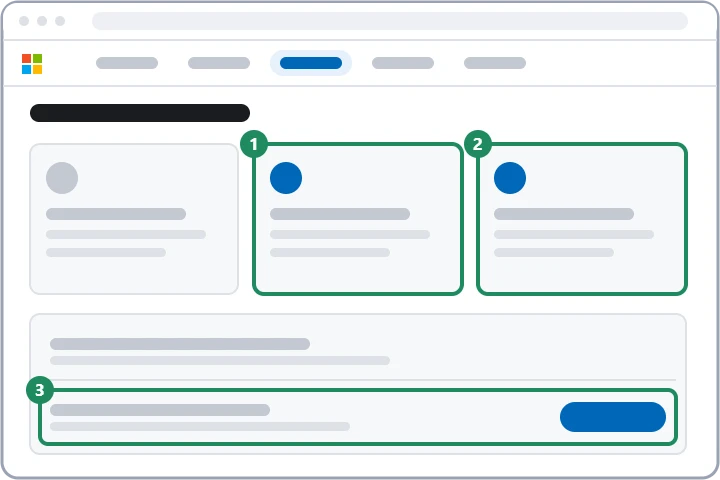
On the security page, four places need checking in order.
- Recent activity: the account.live.com/Activity page shows sign-ins from the last 30 days with location, IP address and device type. In the “Unusual activity” section, choose “This wasn't me” for an event by a stranger and “Secure your account” for the others.
- Sign out everywhere: among the advanced security options, the “Sign out” button in the “Sign out everywhere” section signs the account out of browsers and apps within 24 hours; the Xbox console has to be signed out separately.
- Security info: in the “Manage how I sign in” section, remove every unknown email address, phone number, authenticator app and passkey, and generate a new recovery code.
- Devices and apps: on the account.microsoft.com/devices page, remove the unknown device, and revoke unknown apps from the list of apps with access to the account; do the same with unused app passwords.
3. What might the intruder have changed?
Microsoft resets some settings itself after a hack, but the services still need to be checked one by one.
- Outlook.com: forwarding, rules, aliases and automatic replies may keep working after the password change. The steps: Hacked Outlook.com account: first steps in the mailbox.
- Payments and orders: remove unknown payment methods, report unauthorized purchases to Microsoft and, if the card was charged, notify the bank too.
- Xbox: gamertag, purchases and the password saved on the console: Hacked Xbox account: first steps.
- OneDrive: the list of shared files and the Recycle bin; deleted files can be restored from there for a while.
- Profile and family: the account's name, date of birth and country, and the members of the family group.
If the intruder locked the owner out
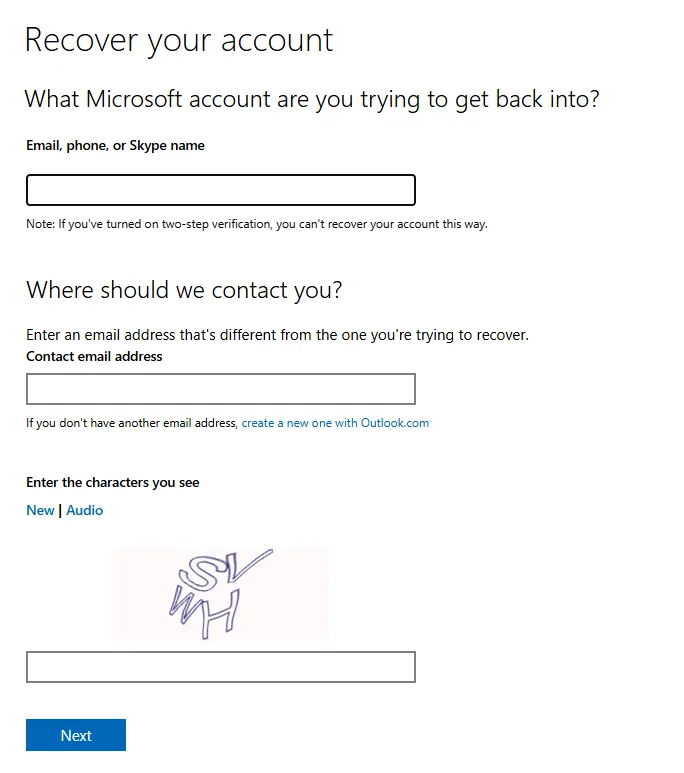
If the password no longer works, click the forgotten password link on the sign-in page and, if offered, indicate that someone else may be using the account. If the intruder replaced the security info, the change stays pending for 30 days, and Microsoft sends a warning to the old addresses and numbers: the link in it can be used to report or cancel the request. If nothing works, the “Recover your account” form remains. It needs another working email address in the “Contact email address” field; according to the page, this route cannot be used if two-step verification is turned on. The questions and ways to improve the chances: Filling in the Microsoft account recovery form.
Protection afterwards
Protecting the recovered account with two-step verification or passwordless sign-in is recommended, so that a leaked password alone is not enough to sign in: Two-step verification and Authenticator for a Microsoft account and Setting up a passwordless Microsoft account.
If it doesn't work
Is changing the password enough?
No. With unknown security info, an app password or an access permission, the intruder can come back even after the password change, so these have to be removed too.
Can Microsoft support restore the account?
No. Agents cannot send password reset links or change the account's details; in that case the recovery form is the only route. Anyone who promises more by phone is a scammer.
What does it mean if the activity list shows a place far from my own city?
Not necessarily a break-in: mobile operators may route traffic through another city. If the device and browser are familiar, it is probably the owner's own sign-in; if not, “This wasn't me” is the right answer.