No longer have the email or phone number: how to get back into Facebook
If the email address on the account no longer exists, or the phone number now belongs to someone else, the usual password reset with a code doesn't work. That doesn't mean the account is lost: Facebook can confirm in other ways that the account really belongs to the person asking.
In this article
If the account is still logged in on a device
This is the simplest case: in the logged-in app or browser, the contact details can be replaced without a code.
- Open the menu, then “Settings & privacy”, and within it “Settings”.
- Choose “Accounts Center”, then “Personal details” and “Contact info”.
- Add the new email address or phone number and confirm it with the code received. Remove the old contact that no longer works.
- If the password isn't known either, a password reset can now be requested to the new contact.
Try to get the old contact back first
- Lost or broken SIM card: if the number still belongs to the account owner, the mobile carrier can issue a replacement SIM with the same number. This is often the quickest solution.
- Forgotten email password: email providers (for example Gmail, Outlook) offer their own account recovery. If the mailbox is only inaccessible but still exists, start here.
- Old, secondary contacts: many accounts have several email addresses or phone numbers. Try all of them in the account search, along with the username.
Recovery when none of the contacts work
In this case, Facebook confirms in other ways that the account belongs to the person asking. This option doesn't appear for every account; if it is missing, try again later from the usual device.
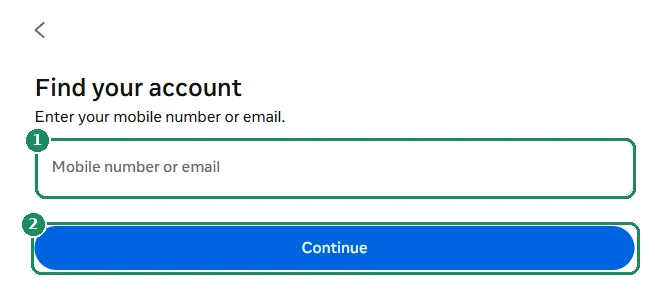
- In a logged-out browser, open facebook.com/login/identify, preferably on a device used before and on the home internet connection.
- Enter any old email address, phone number or the username, then select the account.
- Below the code sending options, choose the “No longer have access to these?” link.
- Enter a new, working email address or phone number. Facebook sends the next steps and its decision there.
- Follow the requested identity check. The review can take from a few minutes to a few days.
How does Facebook verify identity?
- Familiar device and location: Meta recognizes regularly used devices and locations and asks for fewer checks in that case.
- Video selfie: a short video of the face, with the head turned in different directions. Facebook compares it with the profile pictures, so it only works if the profile has a recognizable picture showing the face. According to Meta, the facial data used for the comparison is deleted afterward.
- ID document: a photo of a national ID card, passport or driver's license. The name has to match the name on the profile. Upload documents only through Facebook's own interface, never by email or Messenger.
Can friends help?
The former “Trusted contacts” feature, which let 3–5 friends receive codes for recovery, has been discontinued. Friends can no longer request a login code on someone else's behalf. They can, however, point out when suspicious messages come from the account and report the profile in that case. If someone on Messenger asks for a code in a friend's name, it is a scam.
How to keep it from happening again
- Add at least two contacts: an email address and a phone number.
- After changing numbers or email addresses, update the contact details in Accounts Center right away.
- Store the recovery codes for two-factor authentication in a safe place.
If it doesn't work
The identity check was rejected. What now?
Try again in better lighting, from the usual device. If the profile has no picture showing the face, an ID document stands a better chance than the video selfie.
A scammer changed my email address
That is a hacked account. Facebook sends an email to the old address in this case, from which the change can be reversed. If that doesn't work, start at facebook.com/hacked. Details: My Facebook account was hacked.
Someone offers to recover the account for money
That is almost always a scam. Recovering a Facebook account is free and can only be done on Facebook's own pages.
The code doesn't arrive at the new contact
Check the spam folder, and don't request too many codes in a row: Facebook confirmation code not arriving.